

For the people who make a home

A clearer payday.
A calmer home.

The hours, the little extras, the payments. Keep it all together for the people who keep your household moving.

Made for iOS & AndroidNo account needed

A little less admin.
A little more peace of mind.

A paper-cut house, clock, ledger, and plant in warm cream and evergreen colors
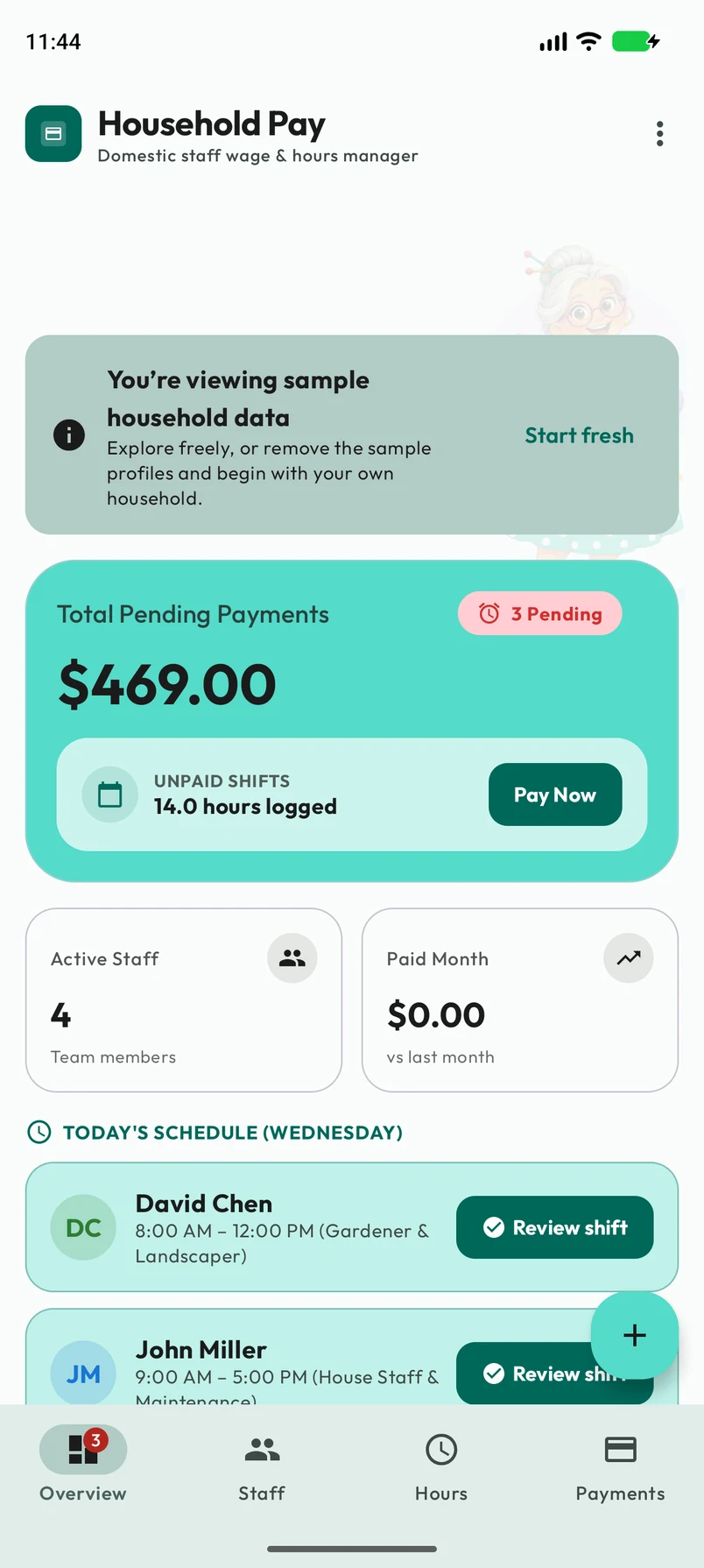
Household Pay on iOS: pending wages, unpaid hours, staff, and today’s schedule together on the overview screen
YOUR HOUSEHOLD, AT A GLANCE

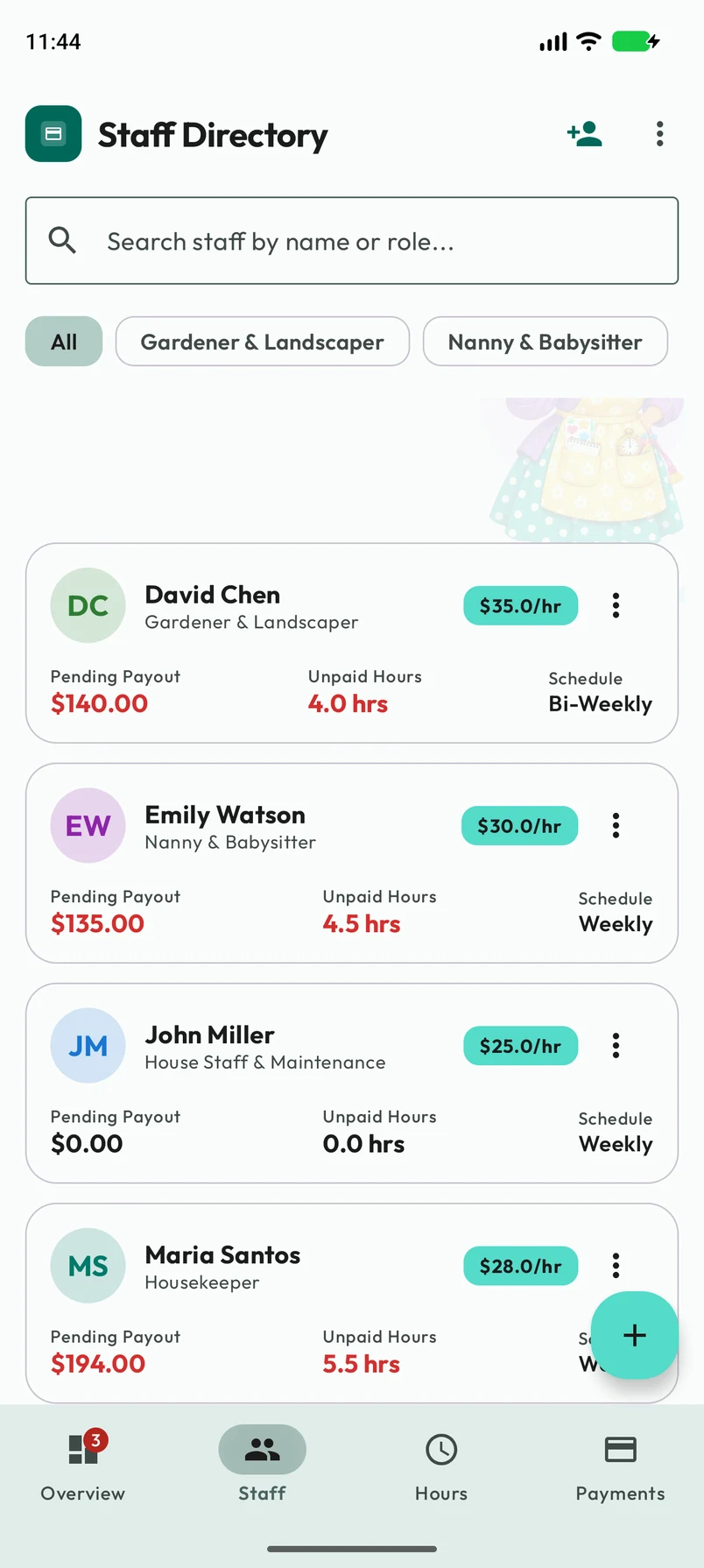
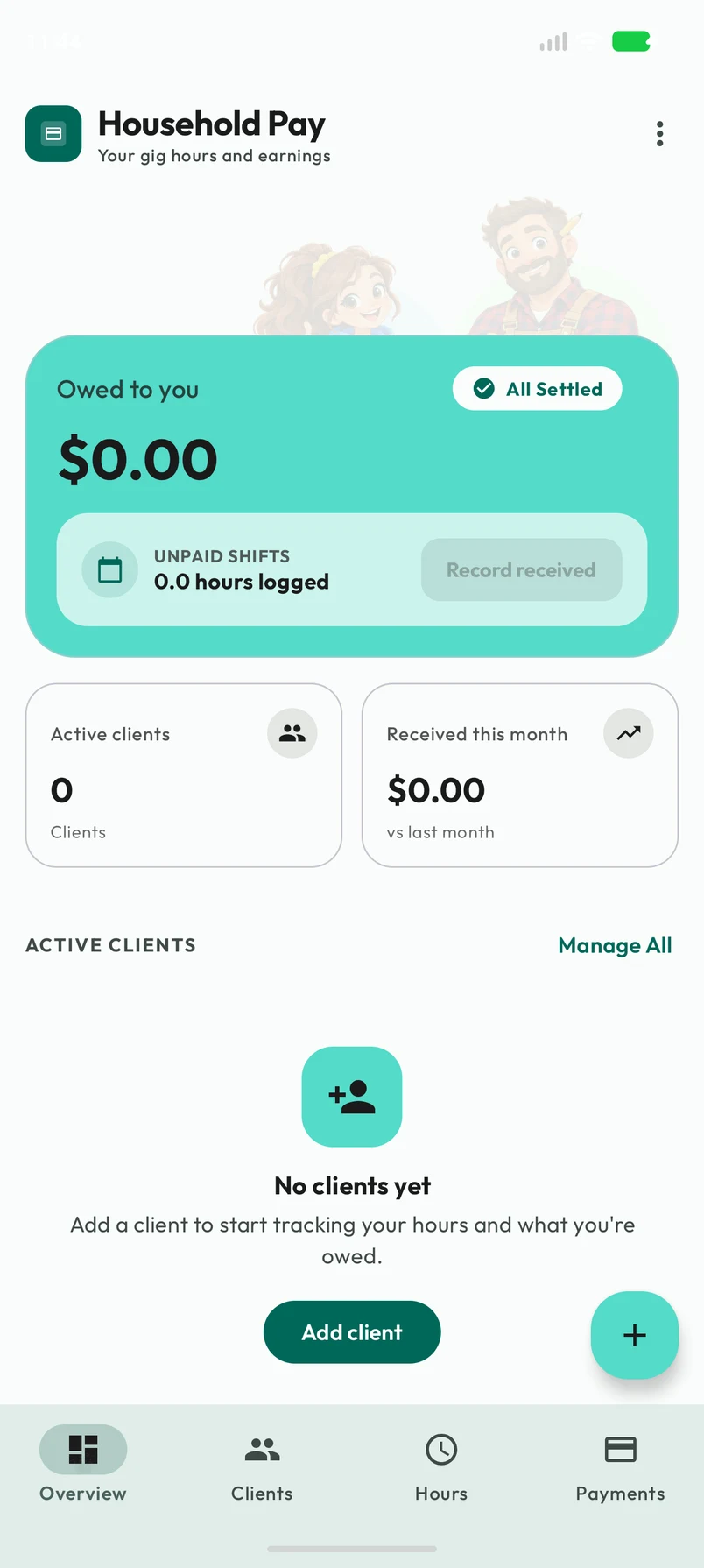
Real app. Sample household.

For your everyday
extraordinary people.

  • Nannies
  • Housekeepers
  • Gardeners
  • Caregivers
  • & your whole household team

A simpler rhythm

From “how many hours?”
to all taken care of.

One place for the small details that make payday feel straightforward. Set up your staff, track the work, and record what you’ve paid.

  1. 01

    Get to know your team.

    Add each person’s role, hourly rate, and usual schedule. Keep their details close at hand.

  2. 02

    Make the hours count.

    Log a shift, use the punch clock, or record a flat amount. See the wages and extras add up.

  3. 03

    Close the loop on payday.

    Record your payment, mark the covered work as paid, and share a receipt for the record.

Thoughtfully together

The details, handled.
The bigger picture, clear.

Take a closer look at Household Pay on Android and iOS.

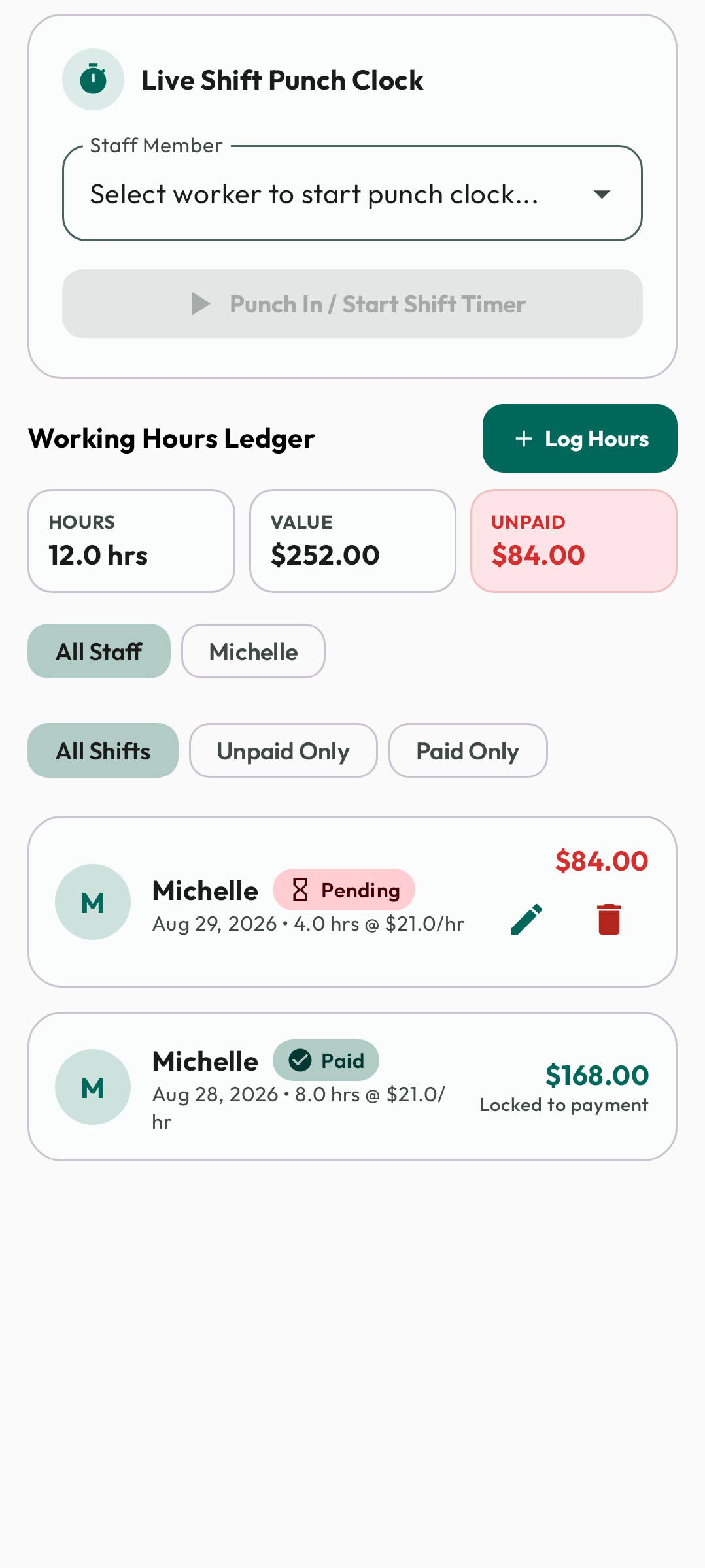
Android01 / HOURS
Android Hours Tracker showing a punch clock, shift totals, and logged work
Every shift has its place.

For the regular days & the extra hours

Less guessing.
More knowing.

Was it four hours or five? Log the work while it’s fresh. Household Pay keeps the hours, rates, and extras together, so you can see what’s due.

  • Track time your way

    Manual hours, start and end times, quick logging, or a live punch clock.

  • Include the little extras

    Add tips, round up to the next dollar, or record a single flat payment.

  • See what’s still pending

    Keep paid and unpaid work easy to tell apart.
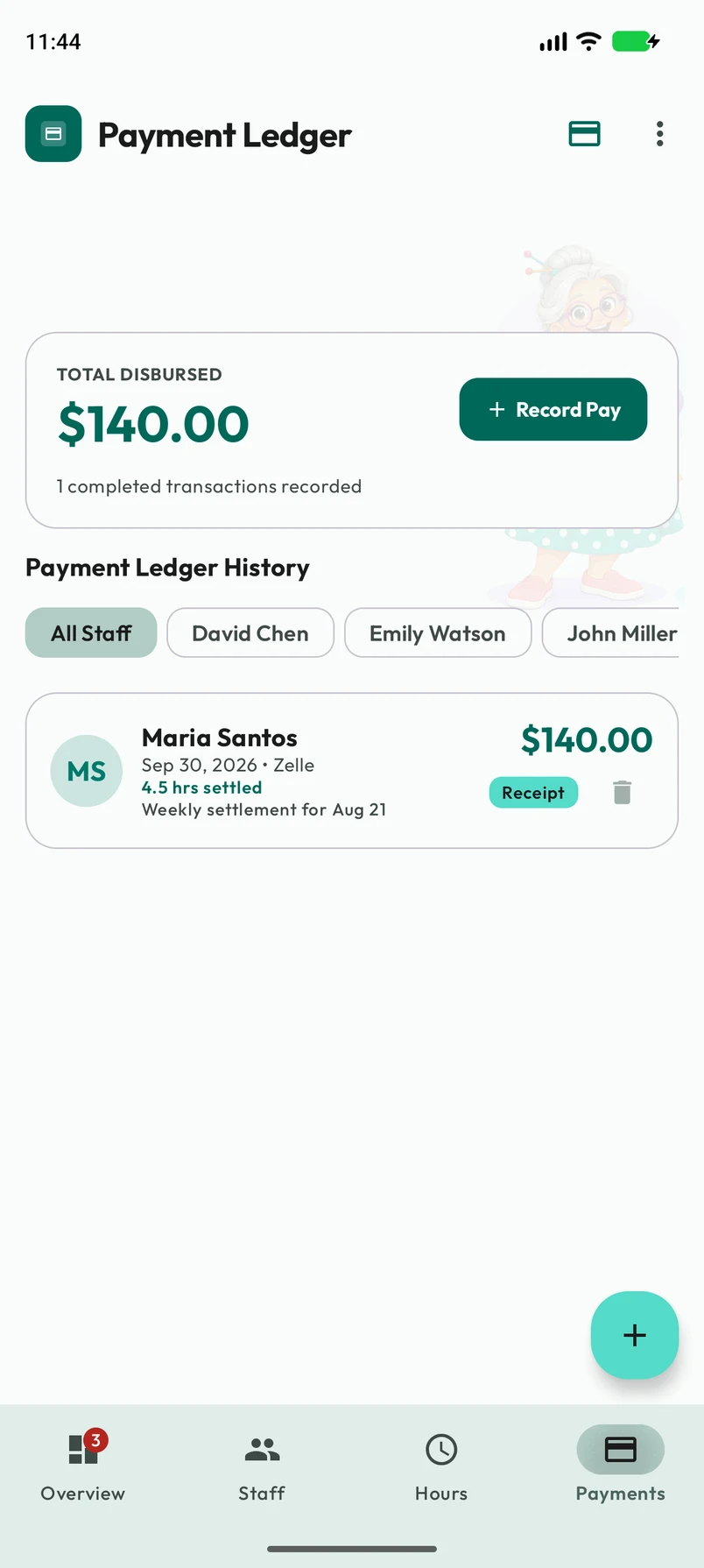
iOS02 / PAYMENTS
iOS Payment Ledger showing the amount disbursed and recorded staff payments
A record for every payday.

A clear record, a thoughtful finish

“Did I pay that?”
Already answered.

Cash on Friday or a transfer on Monday—record how and when you paid. Link the payment to the work it covers, then share a receipt.

  • Keep a payment history

    Amounts, dates, payment methods, and notes in one ledger.

  • Share the details

    Send a receipt image using your device’s share options.

  • Remember the next payday

    Set recurring reminders for one person or your whole team.

Household Pay records payments. You send money separately, using your usual payment method.

Android03 / REPORTS
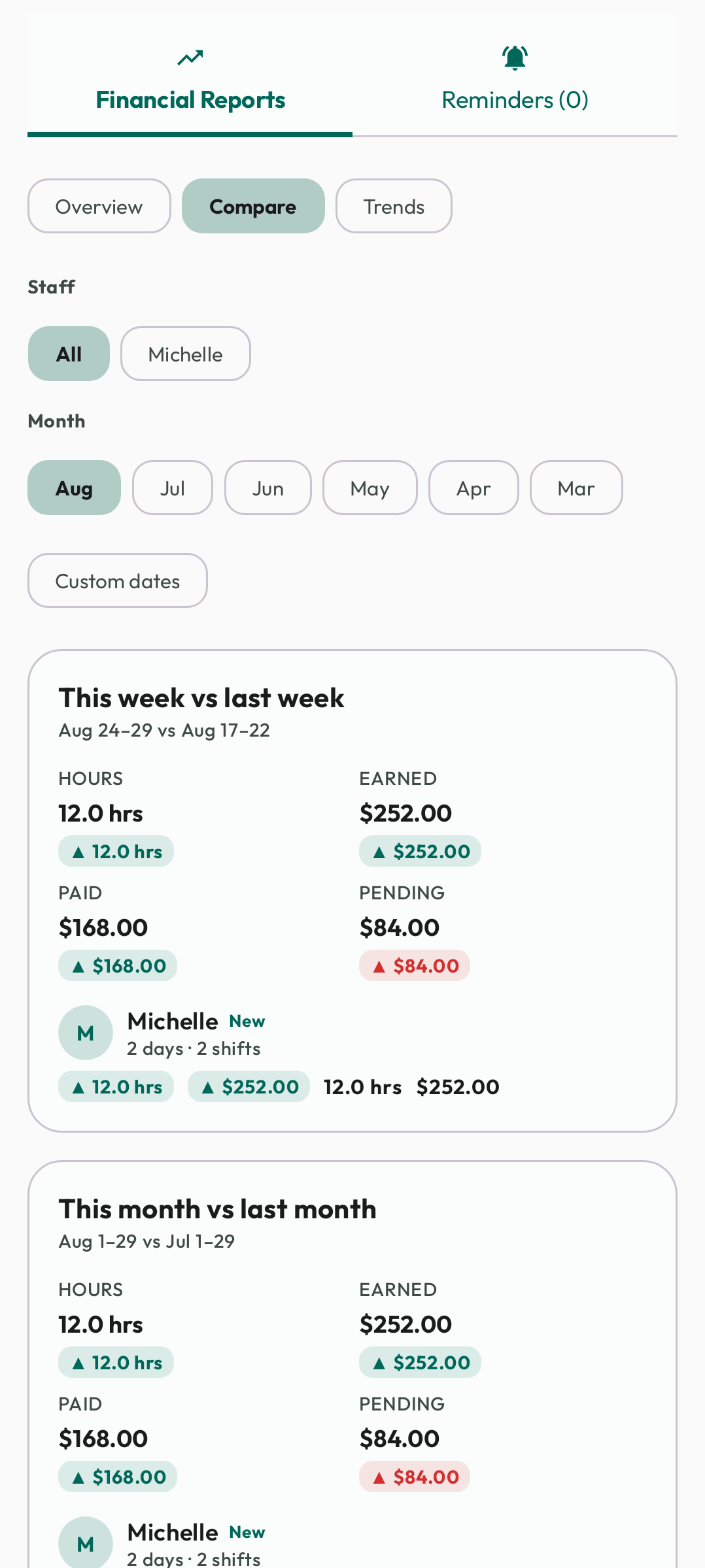
Android financial reports with staff filters and week and month comparisons for hours and wages
A little perspective goes a long way.

Step back & see the whole picture

Know where
the month went.

Follow the hours, compare periods, and see what you’ve paid. When you need your records outside the app, take them with you.

  • Spot the changes

    Compare hours and wages across weeks and months.

  • Look closer at each person

    Review staff histories and outstanding balances.

  • Export your household records

    Share a PDF report or a ZIP containing CSV files.

Screenshots show sample data. Layout and appearance vary by platform and your chosen theme.

Made for real households

Good care deserves
a little clarity.

For the Tuesday clean, the school pickup, and the garden that finally feels like a garden. Household Pay helps you keep track of the work behind everyday life.

Your home. Your people. All in order.

A paper-cut household scene with a house, clock, ledger, and green plant

No account to create.

Open the app and get to know your household records.

Stored locally.

Your records live on your device. Device backup settings may also apply.

Make it feel like you.

Choose your colors, typeface, and light or dark appearance.

Good to know

A few little
clarifications.

Who is Household Pay for?

Household employers who want a clear record of their staff’s hours, wages, and payments—from a regular housekeeper or nanny to a gardener, caregiver, tutor, or other household worker.

Does the app send money?

No. Household Pay records payments you make outside the app. Pay using your usual method, then save the amount, date, method, and work covered in your payment ledger.

Do I need an account or internet connection?

No account is required, and the core tracking features work offline. Records are stored on your device. Your device’s backup settings and any sharing service you choose may handle copies of your data.

Does it handle payroll taxes or other currencies?

Amounts are in US dollars. The app tracks hours, wages, and payment records; it does not calculate payroll taxes, deductions, or overtime rules, or file payroll returns.

Can I move records between devices?

You can export a PDF report or CSV files in a ZIP to keep and share outside the app. There is no in-app import, restore, or cross-device sync feature.

A little less to keep in your head

Here’s to a
clearer payday.

Household Pay is getting ready for iOS and Android.
Your household’s next chapter starts here.

Store previews — Household Pay links will be added at launch.
Temporary previews open Lumy and Arknights, not Household Pay.